Boost your Calendar Booking efficiency with our AI ChatBot, designed exclusively for GoHighLevel users
Streamline your appointment scheduling with intelligent automation, ensuring no opportunity is missed.
Built on the latest and most powerful GPT-4 framework, our bot isn't just a tool—it's your digital ambassador, expertly crafted to interact like a human, understand customer needs, and drive results.
Experience effortless scheduling, improved customer interaction, and enhanced booking rates, all through an intuitive AI-driven solution.
Our bot doesn't just schedule; it anticipates your needs, offering personalized service that turns leads into loyal customers
Why Choose RashFlash AI Bot?
Experience the Difference with Flexibility and Real Conversations.
Comprehensive Call Management: Unlike the native GHL AI, ours seamlessly schedules, reschedules, and cancels bookings.
Human-Like Conversations: Experience interactions that feel genuine and natural. Creating a more personal connection with your clients
Customizable Triggers: Multiple options to activate the bot according to your needs.
Effortless Installation: Forget complex workflows; ours is a one-click setup.
Insightful Analytics: Track your bot's performance with detailed analytics.
Dynamic Knowledgebase: Easily add or edit information to continuously enhance the bot's learning and response accuracy.
Full Customization Control: Adjust the bot's name, response delay, and message limits, offering unparalleled customization for a tailored experience.
Watch Our Step-by-Step Configuration Walk-through
See the AI Bot in Action (Demo)
A Quick Setup Guide
Install Your AI Bot with Ease

Installation
Quick Setup in Two Parts:
1. Initiate Installation:
Click here to start installing the AI bot directly into your GHL subaccount. This step is straightforward and doesn't require any technical skills.
2. Add the AI bot to your GHL Menu:
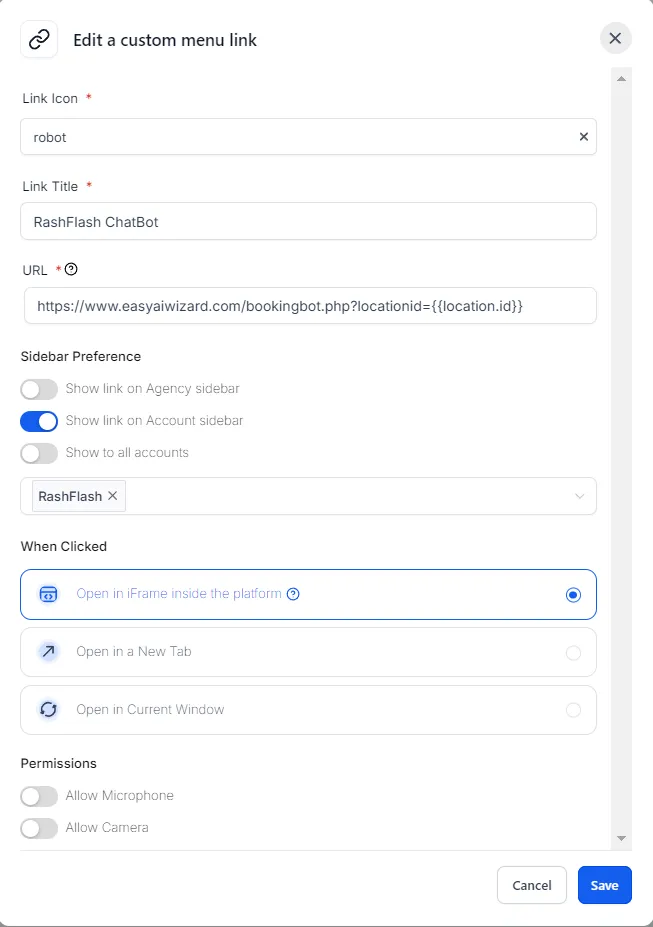
For easy access, add a custom menu link in your GHL subaccount. After saving, the chatbot will appear on the left-hand menu, ready for action. See detailed instructions below:
Go to GHL Agency View → Settings → Custom Menu Links
Click on "Create New"
Choose a Link icon and title (e.g., RashFlash Bot)
Enter URL:
https://easyaiwizard.com/bookingbot.php?locationid=location.idIn Sidebar Preferences, enable "Show Link on Account Sidebar"
Select the subaccount for the AI bot installation
Hit Save. Installation complete!

Configuration
Setting Your Bot Triggers
Powering Your Bot On or Off
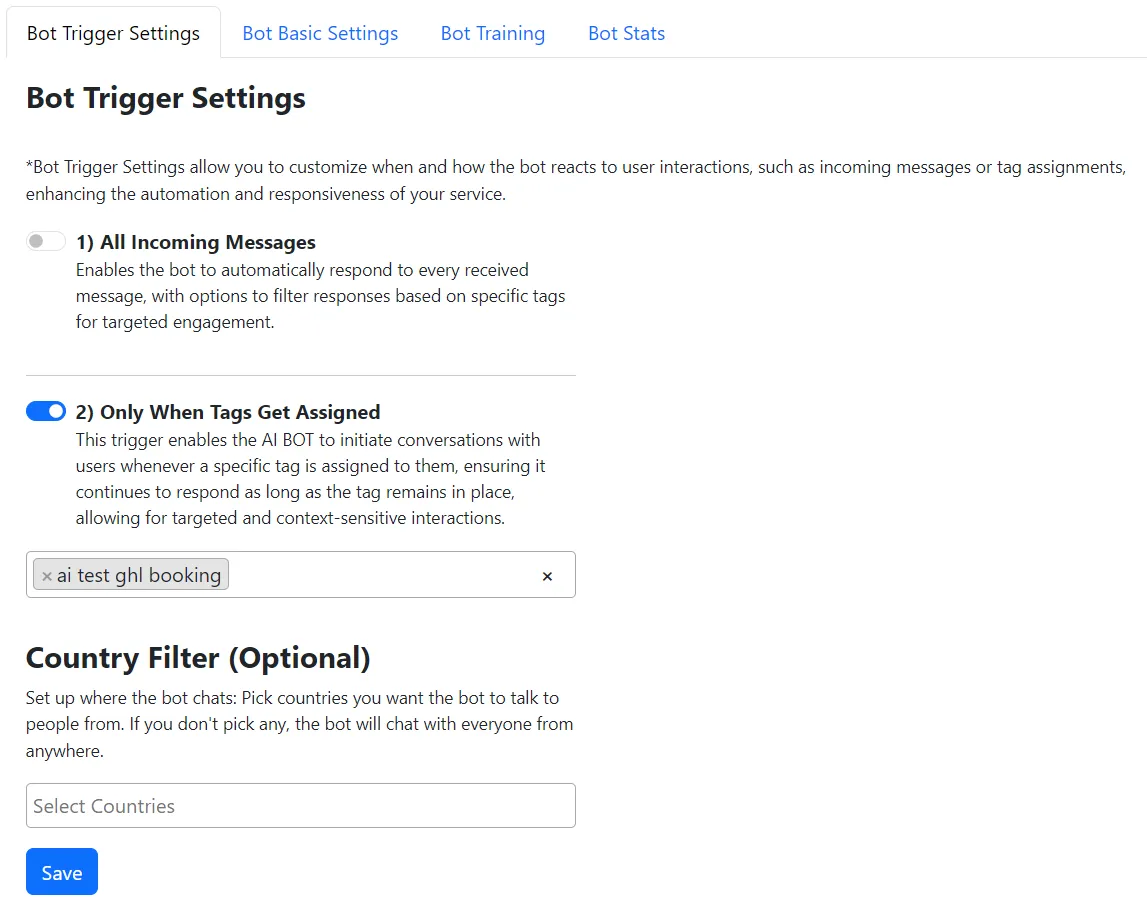
To activate your bot, simply enable one of the triggers below. Turning on a trigger will power up your bot, making it ready to interact with your users. Conversely, if both triggers are switched off, the bot will be inactive.
Trigger 1: Respond to All Messages
Turn on this toggle if you want your bot to reply to every message it receives.
Perfect for general engagement, this setting allows your bot to filter replies based on tags you set for more targeted conversations.
Trigger 2: Activation by Tags
Use this toggle to have your bot initiate the conversation and start chatting only when specific tags are assigned to users.
Ideal for specialized interactions, it keeps the bot in conversation as long as the tag is active, ensuring relevant and context-aware responses.
Country Filter: Tailoring Your Bot's Reach
If you wish to restrict your bot's conversations to specific countries, simply select the desired nations from the list provided.
Leaving the selection blank means your bot is ready to engage with users worldwide, with no geographical limitations.
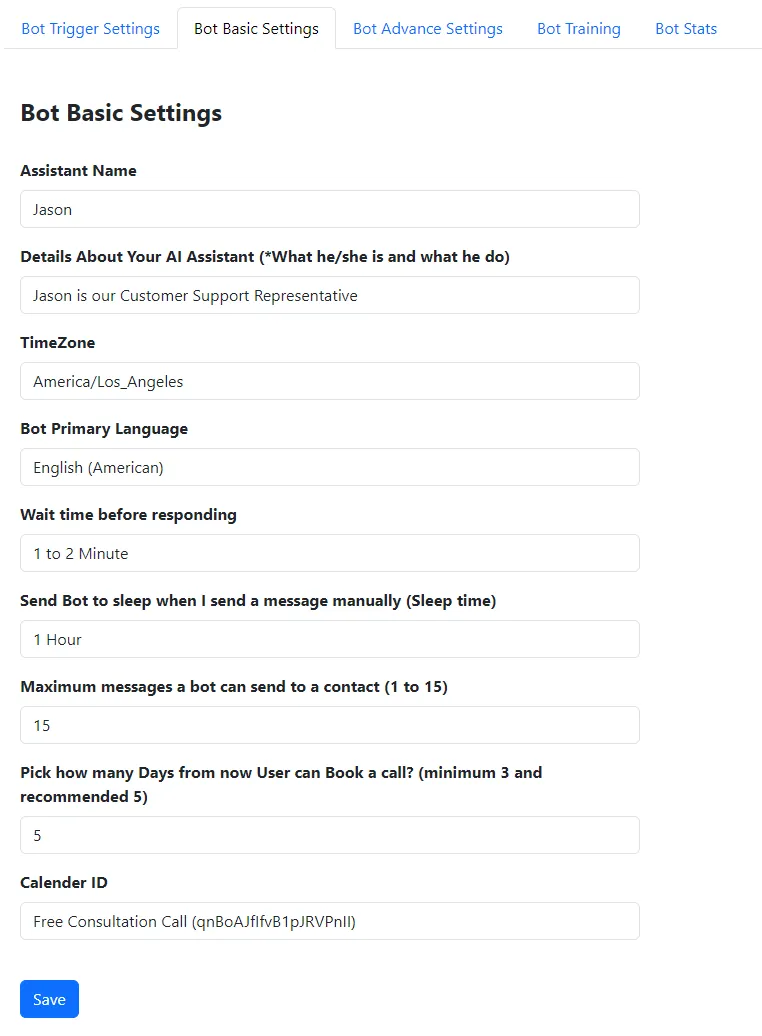
Basic Bot Settings: Personalizing Your AI Assistant
Adjust these settings to personalize your bot and fine-tune its interactions:
Assistant Name: Give your bot a name, like 'Jason', to make it more personable.
Assistant Role Description: Describe what your bot does, such as "Jason is our
Customer Support Representative."
Time Zone: Set the bot's time zone, for example, 'America/Los_Angeles' to align with your business hours.
Multilingual Support: Choose from multiple languages for your bot to converse in, making your service accessible to a global audience.
Response Wait Time: Choose how long the bot waits before responding to simulate thinking time.
Manual Override with Sleep Mode: Temporarily send the AI bot to sleep for a specified number of hours whenever a representative responds manually, ensuring a seamless handover between AI and human interaction.
Message Limit: Set a cap on how many messages the bot can send to a contact, ranging from 1 to 15.
Booking Window: Decide how many days in advance a user can book a call, with a minimum of 3 and a recommended 5 days.
Calendar ID: Pick the GHL Calendar ID where the bot will schedule calls.
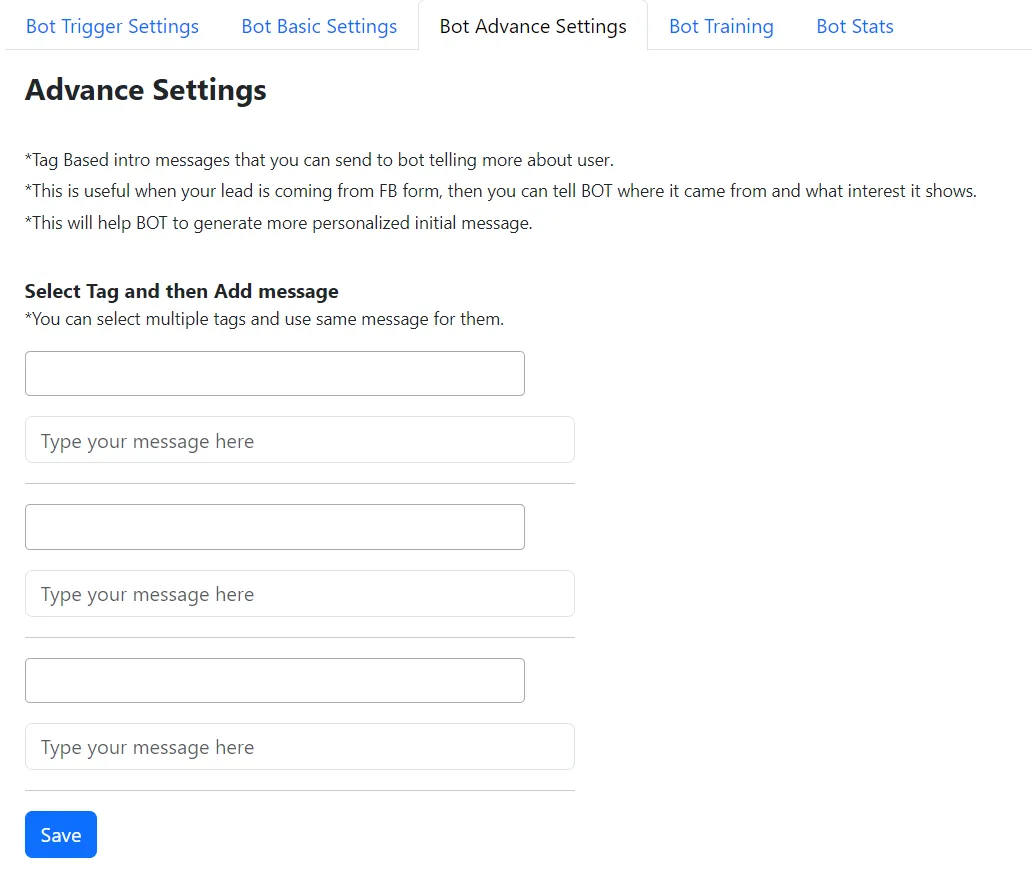
Bot Advanced Settings: Personalize Interactions with Lead Insights
Dive deeper into your customer's journey by assigning tags and detailed descriptions, enabling your AI bot to engage more meaningfully and effectively.
Contextual Tagging: First, tag contacts directly to identify their source or interest, like 'Facebook leads for direct purchase'. This initial step enhances the bot's understanding of each lead.
Tag Description in Configuration: After tagging a contact, specify the same tag in the Bot Advanced Settings and provide a brief about its significance.
This ensures the bot recognizes the context before engaging.
Personalized Interactions: Utilize the background information linked to each tag to customize the bot's dialogue, aligning closely with the lead's interests and the nature of their inquiry.
Efficient Engagement: Armed with detailed tag insights, the bot is better equipped to navigate leads through your funnel, fostering more meaningful interactions and boosting conversion opportunities.

Enhancement and Analytics
Train Your Bot & Track Its Success
Elevate Your AI's Intelligence with a Custom Knowledge Base and Monitor Performance with Real-Time Stats
Bot Training: Expanding Your AI's Knowledge
Enrich your AI bot's expertise with a custom knowledge base tailored to your business, enhancing its responses and understanding.
Adding Knowledge: Navigate to the 'Bot Training' area where you'll find fields for 'Heading' and 'Description'.
Creating Entries: For each topic you want the bot to know about, enter a heading and a detailed description.
Example:
Heading: Company Introduction
Description: RashFlash is an all-in-one digital solutions provider, specializing in bringing ideas to life. With services ranging from web development and design to digital marketing, and beyond, they're equipped to handle all your digital needs.
Continuous Learning: Keep adding pairs of headings and descriptions to cover all areas of your business the bot should assist with.
Bot Statistics: Monitoring Your AI's Performance
Gain insights into your AI bot's effectiveness through comprehensive statistics. This section provides a detailed analysis of your bot's interactions, helping you make data-driven decisions for further improvements.
Overview of Key Metrics:
Total Conversations: The number of unique conversations your bot has engaged in.
Messages Sent: How many messages have been sent by the bot.
Total Bookings: The total appointments or bookings made through the bot.
Tokens Used by OpenAI: Monitor the consumption of OpenAI tokens to gauge bot activity.
Performance Over Time:
View stats for the Last 3 Days, Last 7 Days, and Last 30 Days to track short-term and monthly performance trends.
This analytics dashboard is your window into the bot's operational efficiency, user engagement, and overall impact on your business objectives.
Flexible Pricing to Power Your Growth
Unlock the full potential of RashFlash AI Bot with our straightforward pricing model designed to scale with your business. Affordable monthly subscription (starting from $99/mo), you have the freedom to choose how you want to grow:
Pay Per Message: Ideal for businesses focusing on maximizing engagement and interaction.
Pay Per Calendar Booking: Perfect for those aiming to optimize appointment schedules and conversions.
Included in Your Subscription:
Unlimited Monthly Conversations: Engage without limits.
Customizable Triggers: Tailor interactions to meet your business needs.
Bot-Initiated Conversations: Proactively reach out to clients.
Country Filter: Focus your services where they matter most.
White-label Option: Make the bot truly yours.
Expanding Bot Knowledge Base: Start with up to 15,000 characters for your bot's responses, with plans to increase capacity for even more detailed and helpful interactions.
Frequently Asked Questions
What makes RashFlash AI Bot different from GHL Native scheduling tool?
RashFlash AI Bot uniquely integrates with GoHighLevel, offering unparalleled scheduling automation with real human-like conversations. It's designed to understand and adapt to your specific business needs, providing customizable triggers and responses that align with your brand voice, making every interaction personal and efficient.
If I want the bot to stop responding to a contact, what should I do?
Remove the tag from the contact that you added in the bot configuration settings. This will deactivate the bot's trigger for that specific contact.
How do I install the AI bot into my GHL subaccount?
Follow our quick two-part installation guide: Click here to install the bot and then add the bot as a custom menu link in your GHL subaccount settings.
What are Bot Triggers and how do they work?
Bot Triggers define when the bot starts a conversation. You can set it to respond to all messages or only when specific tags are assigned, giving you control over its activation.
What does the 'Pay Per Message' or 'Pay Per Calendar Booking' mean?
These options allow you to align your spending with your usage. 'Pay Per Message' lets you pay for each customer interaction initiated by the bot, while 'Pay Per Calendar Booking' charges you for each successful appointment or booking made through the bot. This flexibility ensures you only pay for the value you receive, making it cost-effective for businesses of all sizes.
How many words can I use in the bot's knowledge base?
Initially, the bot's knowledge base supports up to 15,000 characters, roughly equivalent to 2,500 words. This generous limit allows you to input a comprehensive set of training data for the bot. We are also working on expanding this limit to accommodate even more detailed interactions and provide your bot with a broader range of responses.
Is there an option to filter interactions by country?
Absolutely. Our country filter feature lets you target or exclude interactions based on geographical locations, enabling you to focus your services and marketing efforts on specific regions.
How It Works
Simplify Your Lead Management in Four Easy Steps:
1. Get RashFlash Bot Installation Key
Start by obtaining the unique installation key for your RashFlash AI Bot.
2. Attach Calendar to Bot
Link your preferred calendar to the bot for seamless scheduling and booking.
3. Set Up One Automation (Workflow)
Configure a single workflow automation to tailor the bot's responses and actions according to your business needs.
4. Start Sending Leads to Your Funnel
Feed leads into your funnel and let the RashFlash AI Bot take over. It will automatically contact leads and book them on the calendar.
That’s it! Sit back and watch as our bot efficiently handles lead engagement and scheduling, saving you time and enhancing productivity.
Benefits of the RashFlash AI Bot

1) Enhanced Customer Experience: Provides personalized and instant responses to inquiries, improving customer satisfaction and engagement.
2) Increased Efficiency: Automates the process of scheduling calls, saving significant time and resources for businesses.
3) Higher Conversion Rates: Utilizes advanced AI to understand and respond to customer needs effectively, leading to more successful conversions.
4) 24/7 Availability: Offers round-the-clock service, ensuring no lead is missed due to time constraints.
5) Cost-Effective: Reduces the need for extensive human customer service teams, leading to lower operational costs.
6) Data-Driven Insights: Gathers valuable customer interaction data that can be used to refine marketing and sales strategies.
7) Scalability: Easily scales to handle increasing volumes of customer interactions without the need for additional staff.
Experience the Difference with Our Demo
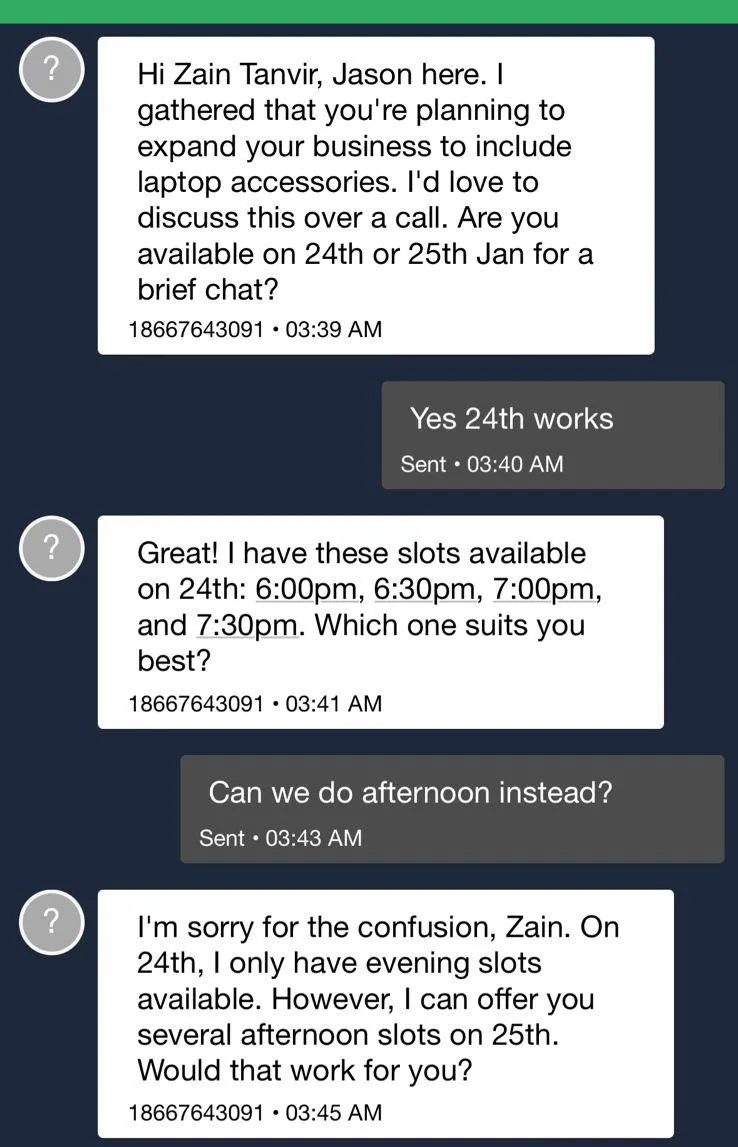
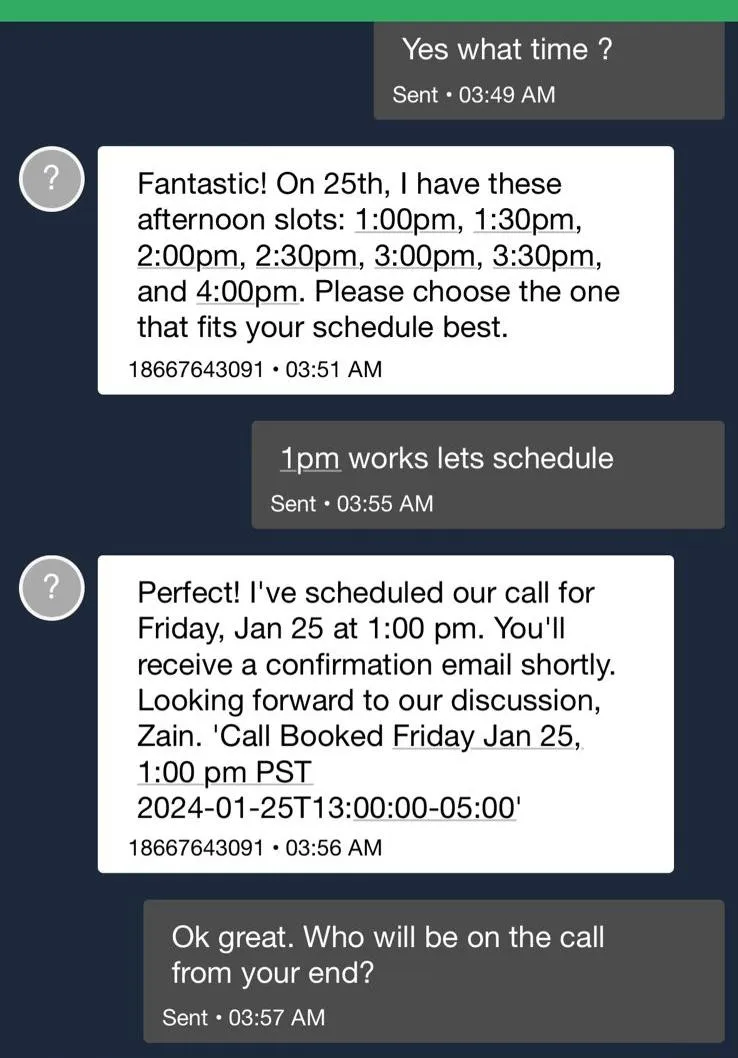
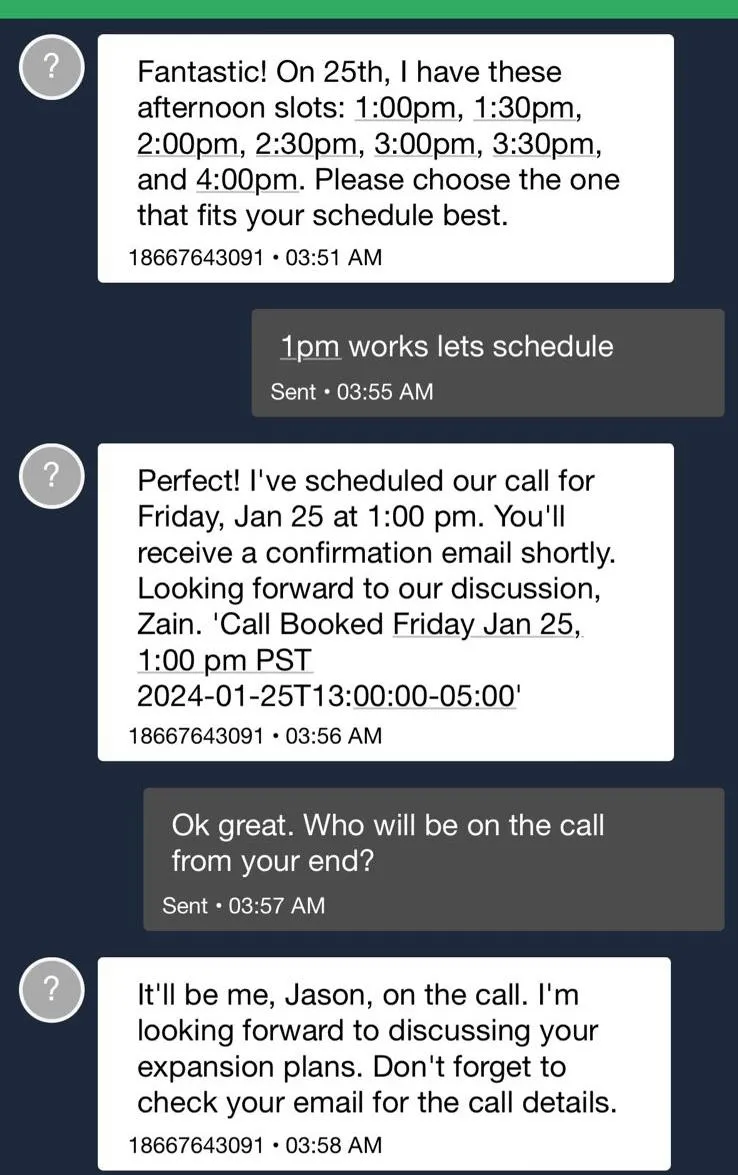
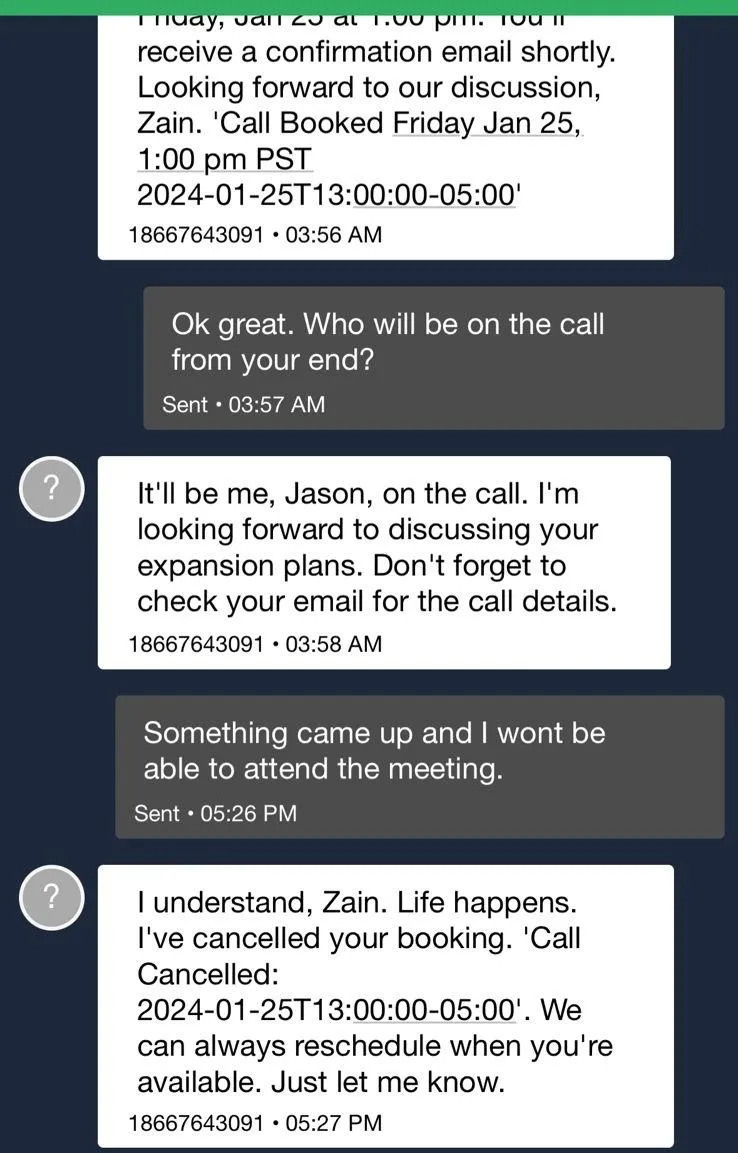
Don't just take our word for it. Experience the RashFlash AI Bot in action. Watch our demo video and see real SMS conversation screenshots to witness firsthand how our AI bot transforms lead engagement and conversion.